Anthropic, the company behind the AI assistant Claude, is testing a new feature that will make the AI more helpful and easier to use for everyone. This new feature, called “Skills,” will let you teach Claude how to do specific tasks you do often.
Think of it like teaching a new assistant how you like your coffee. Once you show them, they remember and do it for you every time. That’s what “Skills” will do for Claude. You’ll be able to give Claude a set of instructions for a task, and it will save those instructions as a “Skill.” Then, anytime you need that task done, you can just ask Claude to use that Skill, instead of typing out all the instructions again.
This is a big deal because right now, if you want Claude to do something specific, you have to explain it every single time. With Skills, you can create your own custom shortcuts for the things you do most. For example, if you often use Claude to help you write social media posts, you could create a “Social Media Post” Skill. This Skill would have all your instructions, like the tone of voice you want, the length of the post, and any specific hashtags you like to use. Then, you could just tell Claude to write a post using your “Social Media Post” Skill, and it would know exactly what to do.
This new feature is still being tested, so it’s not available to everyone yet. But it shows that Anthropic is working to make Claude more personal and useful for all kinds of users, not just people who are experts in technology. This could make Claude a much more powerful tool for everything from work to creative projects.
More File Types Now Supported
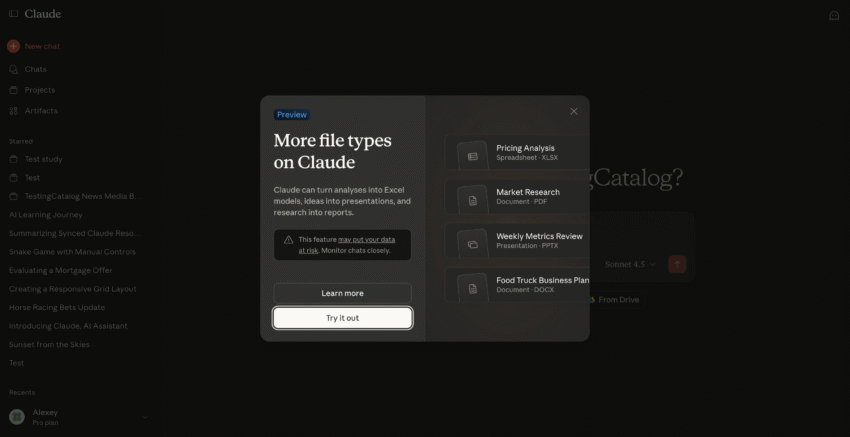
In other news, Claude recently rolled out an update that allows it to work with more types of files. You can now use Claude to help you with XLSX (Excel spreadsheets), PDF (documents), PPTX (PowerPoint presentations), and DOCX (Word documents). This feature was first available to “Max” subscribers and is now available to “Pro” users as well. This means you can ask Claude to do things like analyze data in a spreadsheet, summarize a PDF document, or even help you create a presentation.
Related Links: