OpenAI, the company behind ChatGPT, is rolling out some exciting new updates. These changes are all about making the AI tool safer for younger users and giving us a clue about what new features might be coming next.
If you’re a parent, or just curious about where ChatGPT is headed, these two new features are worth knowing about. Let’s break down what they are and what they mean for you in simple terms.
1. Keeping Teens Safer with New Parental Controls
For a long time, parents have been wondering how to make sure their kids are using powerful tools like ChatGPT safely and responsibly. OpenAI has listened and is now introducing a “Parental Controls” feature to give parents peace of mind.
What is it?
Think of it like setting up the family computer or a new smartphone for your child. You get to decide what they can access and set some ground rules. The new ChatGPT Parental Controls work in a similar way. It’s a set of tools that allows parents and teens to connect their accounts, giving the parent the ability to oversee how the AI is being used.
How Does It Work?
The process is straightforward. A parent or a teen can start by sending an invitation to the other person to link their accounts.
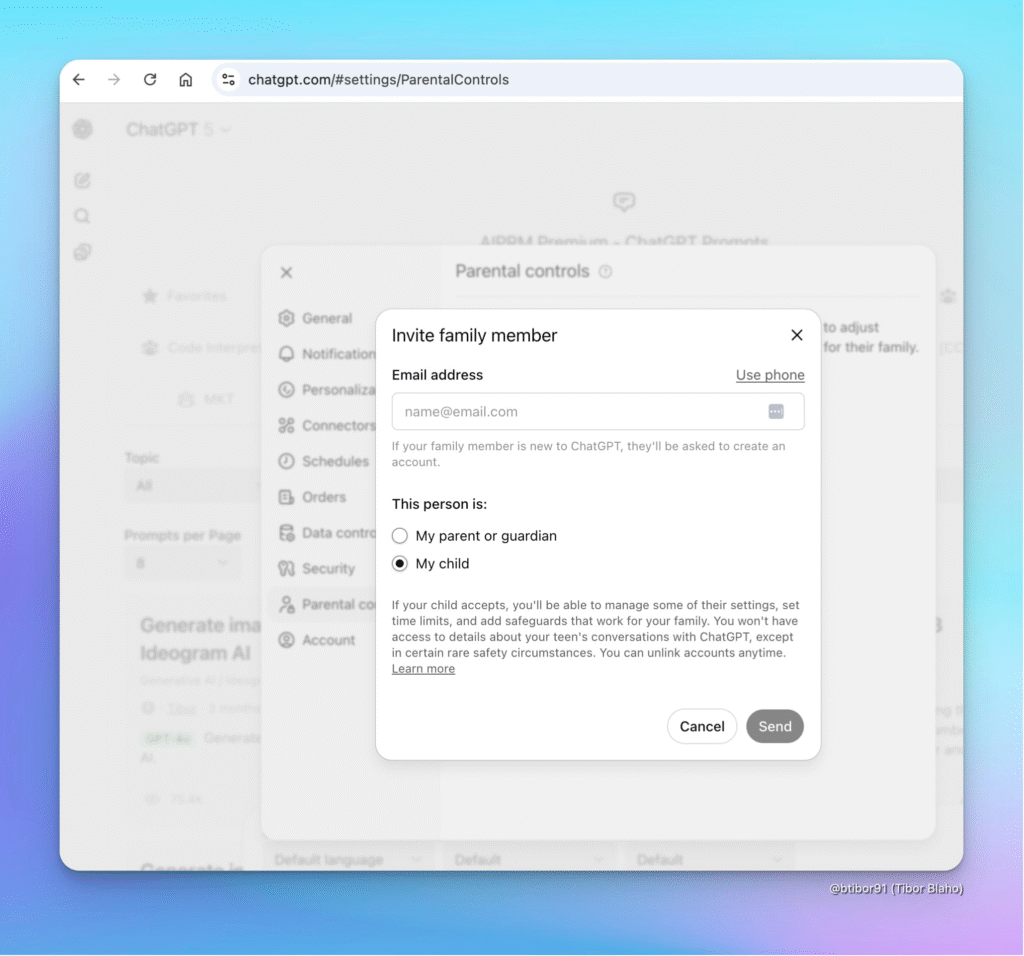
- Sending an Invite: Inside the ChatGPT settings, there will be a new “Parental controls” option. From there, you can invite a family member by entering their email address or phone number. You’ll specify if you are inviting “My child” or “My parent or guardian.”
- What Can Parents Do? Once the accounts are linked, parents will be able to:
- Adjust Settings: Control some of the features their teen has access to.
- Set Limits: Manage how much or when the AI can be used.
- Add Safeguards: Implement safety rules that work best for their family’s needs.
What About Privacy?
This is a big question, and OpenAI has provided a clear answer. Parents will NOT be able to read their teen’s conversations. The goal is to ensure safety without spying. Your child’s chat history remains private. The only exception is in “certain safety circumstances,” where OpenAI might need to step in to prevent harm.
This feature is all about creating a safe space for teens to learn and explore with AI, while giving parents the tools they need to guide them responsibly.
2. A Hint at the Future: The New “Orders” Section
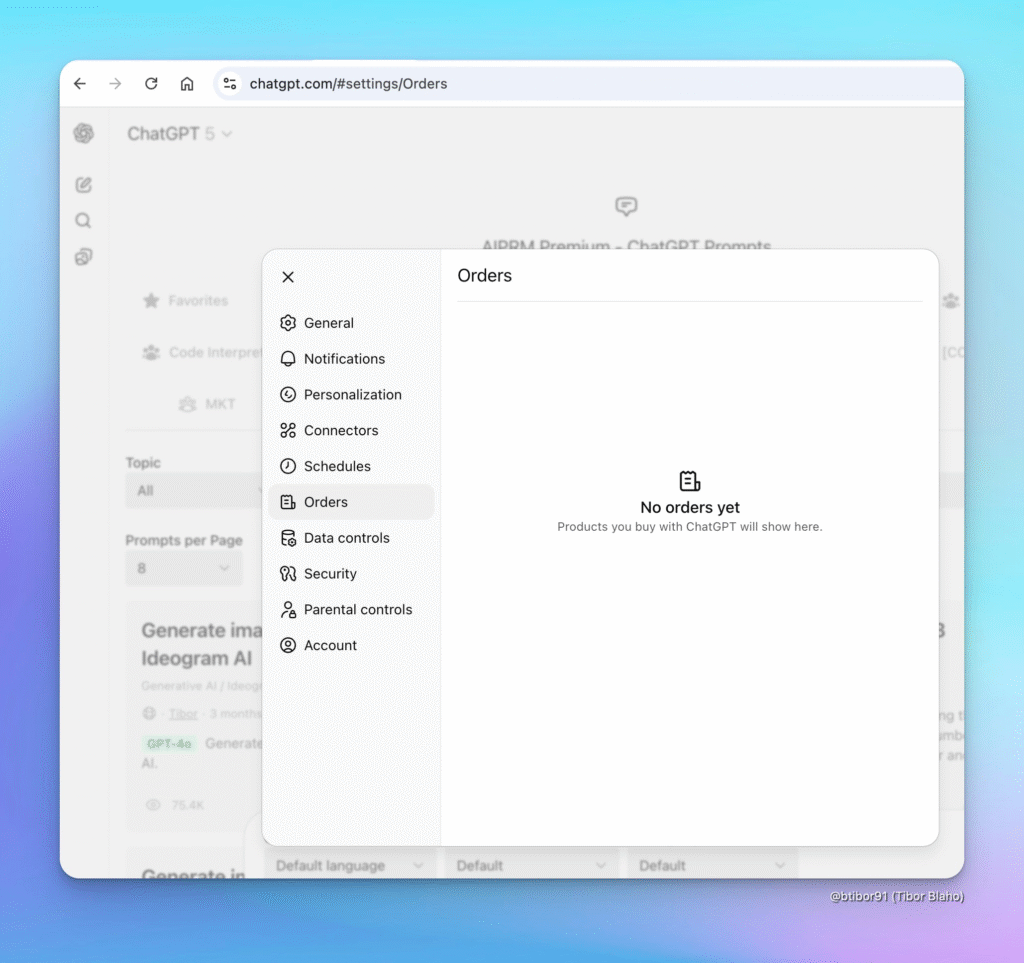
The second update is a bit more mysterious but just as interesting. Users have spotted a new “Orders” tab in the ChatGPT settings menu.
What is it?
Currently, when you click on it, the screen is empty. It simply says, “No orders yet. Products you buy with ChatGPT will show here.”
What Does This Mean?
This is a huge clue that OpenAI is planning to turn ChatGPT into more than just a chatbot. Soon, you might be able to buy things directly from your chat window.
Imagine asking ChatGPT to find you the best price on a new pair of headphones. In the future, you might be able to tell it, “Okay, buy them for me,” and the transaction would happen right there. The “Orders” section would then be the place where you could track all your purchases made through the AI.
While there are no products to buy just yet, this new section is the digital equivalent of a “Coming Soon” sign. It shows that ChatGPT is evolving into a full-service personal assistant that can not only give you information but also help you act on it.
Follow us: