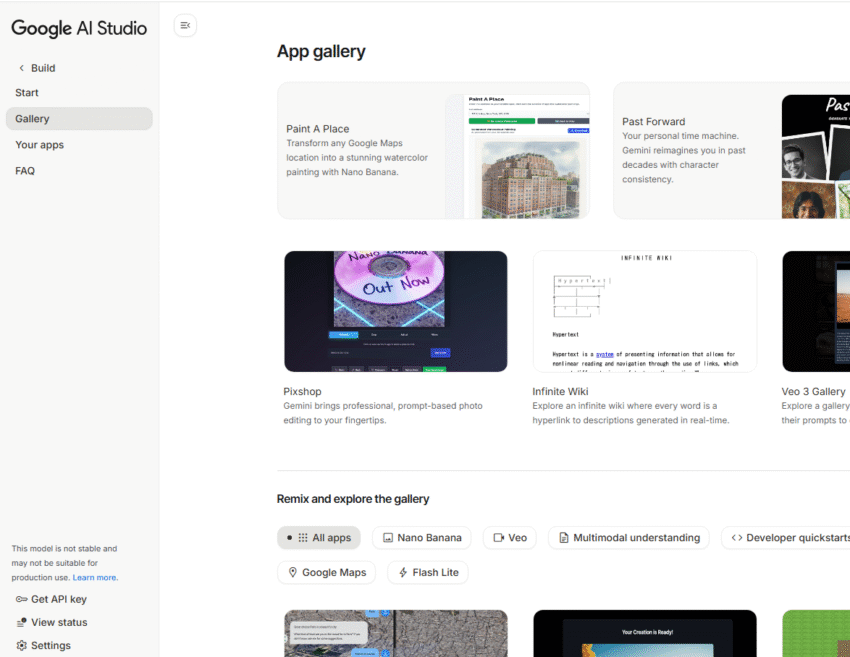
Google has just introduced a brand-new feature for its Google AI Studio platform, and it’s called the App Gallery.
If you’re new to all this, think of Google AI Studio as a digital workshop or a creative toolbox. It’s a place where people (mostly developers and creators) can go to build new applications and tools using Google’s powerful Artificial Intelligence.
Until now, starting a new AI project from scratch could feel intimidating, like staring at a blank canvas with no idea where to begin. The new App Gallery changes that completely.
Google AI Studio just launched its "app gallery," a new library of AI-powered projects. pic.twitter.com/mkOAPJ1o20
— NearExplains AI (@nearexplains) October 25, 2025
What Is the Google AI Studio App Gallery?
In simple terms, the App Gallery is a showroom or a library filled with pre-built, working example apps.
These aren’t just boring technical demos. Google has “curated” (which means hand-picked) a collection of creative and inspiring projects to show off what its AI can really do. The video in the announcement gives us a peek at some of these, with names like:
- Paint A Place: An app that seems to turn simple drawings into stunning, realistic landscapes.
- Past Forward: A tool that helps you explore history or personal memories with character consistency.
- Infinite Wiki: An app that appears to let you explore information in a new way, where every word can be expanded.
- Pixshop: A tool for editing photos using professional-level prompts.
These examples are built with powerful AI features, which Google gives code names like “Nano Banana” and “Maps Grounding.” You don’t need to know what those names mean all you need to know is that they are the “secret sauce” that makes these apps smart.
The “Remix” Feature: Why This Is So Exciting
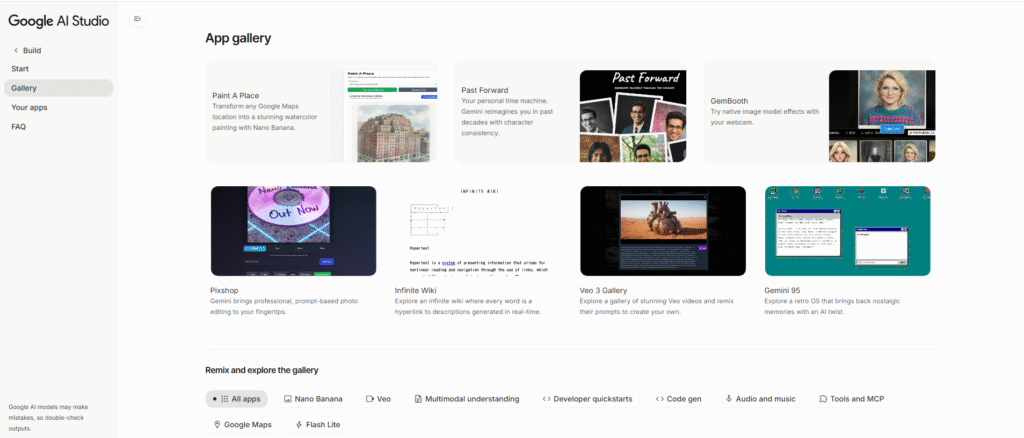
Here is the most important part of the announcement, especially for anyone who isn’t a coding expert. The App Gallery isn’t just for looking at apps; it’s for using them as a starting point.
This is all possible thanks to a new “remix” feature.
Let’s say you see the “Paint A Place” app and think it’s cool, but you’d rather have it create pictures of fantasy creatures instead of landscapes.
Instead of having to build the entire app yourself, you can just “remix” the original. According to Google, you can use a “single prompt” meaning a simple text instruction to tell the AI what you want to change.
It’s like taking a fully-built Lego set, telling an assistant, “Rebuild this as a spaceship,” and having them instantly reassemble 90% of it for you. From there, you can “continue building” and tweak the final 10% to make it perfectly “your own.”
Who Is This For?
While Google AI Studio is a tool for builders, this new App Gallery makes it much more welcoming for everyone.
- For Beginners & Hobbyists: It’s the perfect way to learn. You can take a working app, change one small thing, and see what happens. It’s learning by doing, not by reading a complex manual.
- For Creators: If you have a great idea, you no longer have to start from zero. You can find a project that’s similar to your vision and “remix” it, saving you days or even weeks of work.
- For the Curious: It’s a fantastic way to just play around and understand what modern AI is capable of, without needing a computer science degree.
In short, the App Gallery is designed to be a launchpad for creativity. It lowers the barrier for making new things with AI, turning the complicated process of “coding” into a simpler act of “remixing” and “building.”
Source
meet the app gallery
— Google AI Studio (@GoogleAIStudio) October 25, 2025
a curated library of vibe coded projects built with powerful AI integrations like Nano Banana, Maps Grounding and more
remix any app with a single prompt and continue building to make it your own pic.twitter.com/VWGefaugzZ