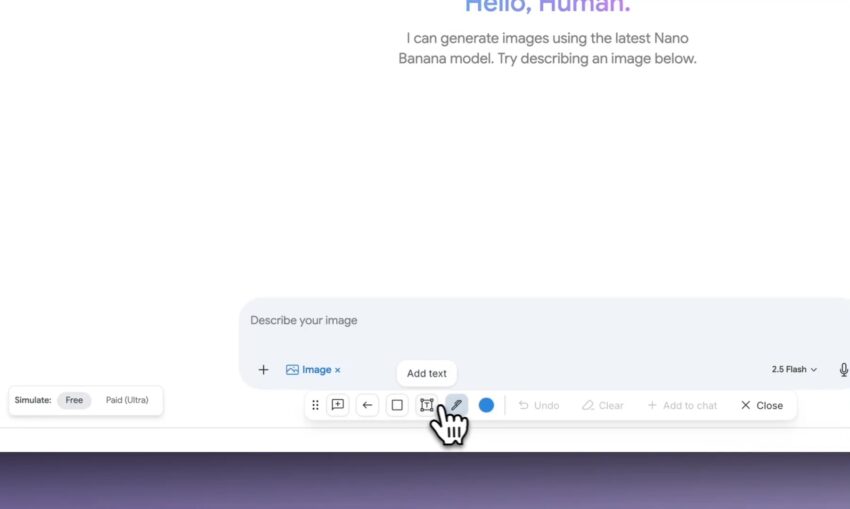
Have you ever looked at a website or an app and thought, “This would be so much better if that button was just a little to the left,” or “I wish I could add a new title right here”? For most people, that’s where the idea stops, because making that change requires knowing complex programming languages.
Google just released a game-changing new feature in its Google AI Studio that bridges this gap. It’s called “Annotate Mode,” and it basically lets you draw your ideas onto a screen, and an AI (named Gemini) will write the actual code to make it happen.
It’s like having a professional developer sitting next to you who you can just point and draw with.
What Is This New Feature Exactly?
Imagine you’re building a simple app, and it shows a “Hello, Human.” message. With the new Annotate Mode, you don’t need to dig through files of code to change it.
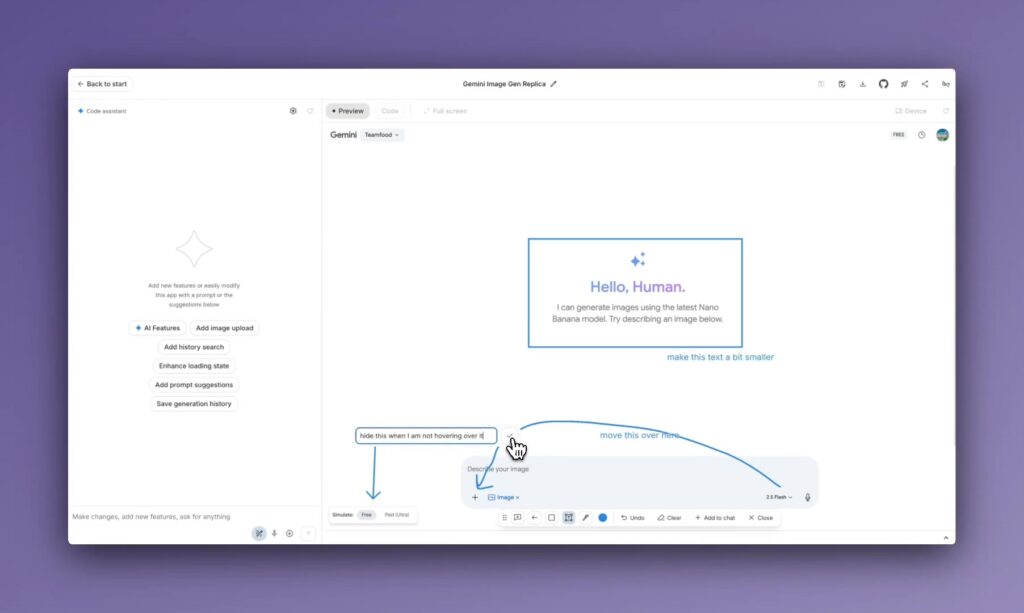
Instead, you can:
- Freeze the screen of your app preview.
- Draw right on top of it, just like using a simple paint tool.
- Give simple commands. You could circle the text and write a note like, “Change this to ‘Welcome to my App!'”
- Draw new ideas. As seen in the demo, you can literally draw a box and an arrow, writing “I want this over here” to move an element.
Once you’re done drawing, you tell the Gemini AI to make the changes. The AI looks at your drawings, understands your instructions (like “make this blue” or “add a button here”), and then directly edits the programming code to make your visual changes a reality.
Introducing Annotate mode ✏️ while you vibe code in @GoogleAIStudio, mark up any UI with simple drawing tools and then have Gemini action them directly in the code! pic.twitter.com/igWNozVdsE
— Logan Kilpatrick (@OfficialLoganK) October 23, 2025
Why Is This a Big Deal for a Non-Tech Person?
This update is huge because it starts to break down the biggest wall in software creation: the code barrier.
- You Don’t Need to “Speak Code”: This new tool translates your human ideas (drawings and simple text) into the computer’s language (code). It makes creating and editing software more about your idea and less about your technical-typing skills.
- It’s Incredibly Fast: For both beginners and experts, this is a massive time-saver. An expert developer, instead of spending 15 minutes finding the right code files, can just circle a button and type “make this round.” It speeds up the whole process from an idea in your head to a working product on the screen.
- Better Teamwork: This tool is perfect for teams. A designer, who is great at visuals but doesn’t code, can now directly mark up an app and have the AI generate the starting code for the developer. It helps everyone get on the same page, faster.
In short, Google is making it possible for anyone from a startup founder to a small business owner or just a curious hobbyist to build and customize their own AI-powered applications with less friction than ever before. What used to require a team of specialized developers can now be started with a simple drawing.
Source: Logan Kilpatrick
YouTube