1. The Reposts Tab: Share Your Favorite Content Directly
Meta is rolling out some exciting new features for Instagram that will change the way you share content and connect with friends. These updates are all about making your experience more interactive and personalized. Let’s break down what’s new in simple terms.
Have you ever seen a Reel or a post that you loved so much you wished you could share it directly on your own profile? Now you can! Instagram is introducing a new “Reposts” tab on your profile. This feature lets you share public Reels and feed posts from other creators.
- How it works: When you find a post you want to share, you’ll have the option to “repost” it. This will add the post to a special “Reposts” tab on your profile.
- Give credit where it’s due: Don’t worry about stealing someone’s content. Instagram will automatically give full credit to the original creator. You can also add your own short note or comment when you repost.
- Sharing with your followers: Your followers might also see the content you’ve reposted in their own feeds, making it a great way to share things you find interesting.
2. Live Map: See What Your Friends Are Up To in Real-Time
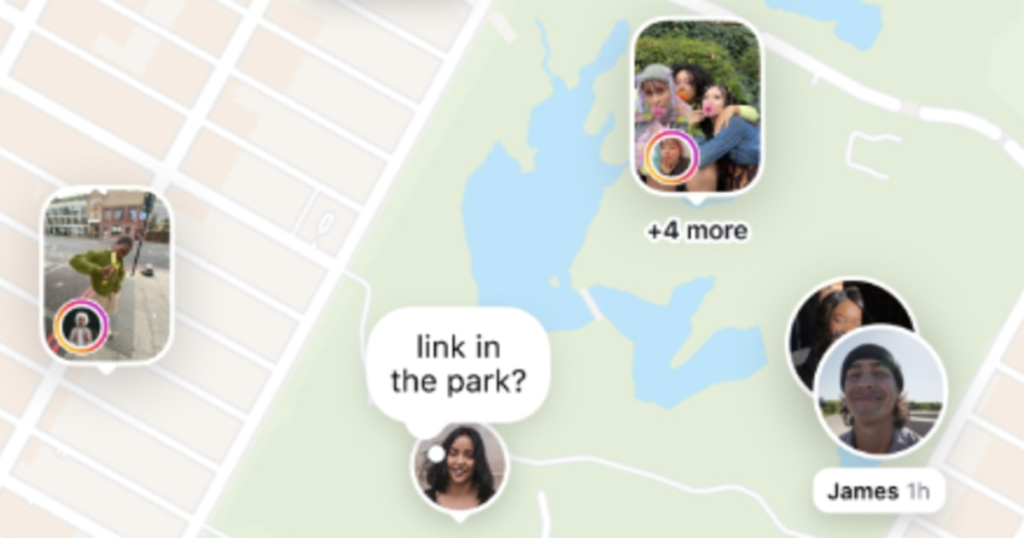
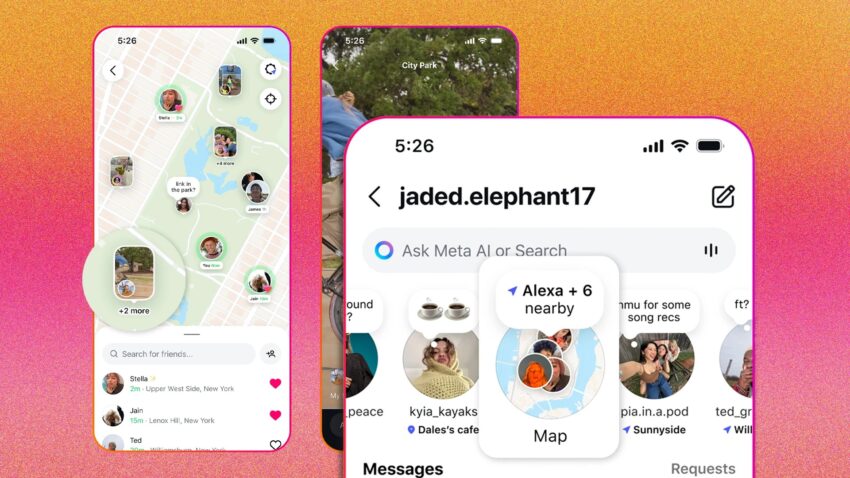
Remember Snapchat’s Snap Map? Instagram is launching a similar feature called “Live Map.” This shows you the real-time location of your friends and favorite creators when they post from a specific place.
- Privacy first: Your location is not shared automatically. This feature is off by default, so you have to choose to turn it on.
- You’re in control: You get to decide who sees your location. You can share it with all your friends, just your “Close Friends,” a select few people, or no one at all. You can also block your location from being shared in specific places, like your home or office.
- Where to find it: The Live Map will be at the top of your Direct Messages (DMs). It’s currently being tested in the United States and will be available to everyone around the world soon.
3. “Friends” Tab in Reels: Discover Content Your Friends Love
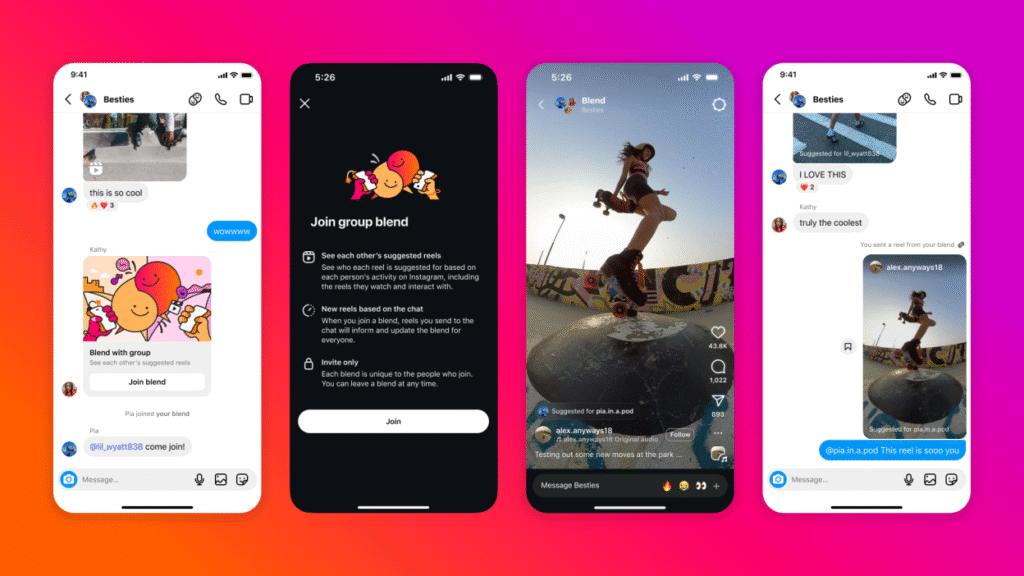
The Reels feed is getting a new section called the “Friends” tab. This tab is designed to show you content that your friends are enjoying.
- How it works: This new section will highlight Reels that your friends have liked, commented on, or shared. It’s a great way to see what’s trending within your own circle of friends.
- “Blends” for personalized recommendations: Instagram is also using a smart system called “Blends.” This system looks at the types of Reels you and your friends like and recommends content that you both might enjoy. It’s like getting recommendations from a friend with great taste!
- Control your activity: If you don’t want your friends to see what you’re liking or commenting on, you have the option to hide your activity. You can also mute updates from specific friends if you’re not interested in their recommendations.
These new updates are all about giving you more ways to share, connect, and discover content on Instagram. Whether you’re reposting your favorite Reels, checking out where your friends are on the Live Map, or finding new content through your friends’ recommendations, these features are sure to make your Instagram experience even more fun and engaging.