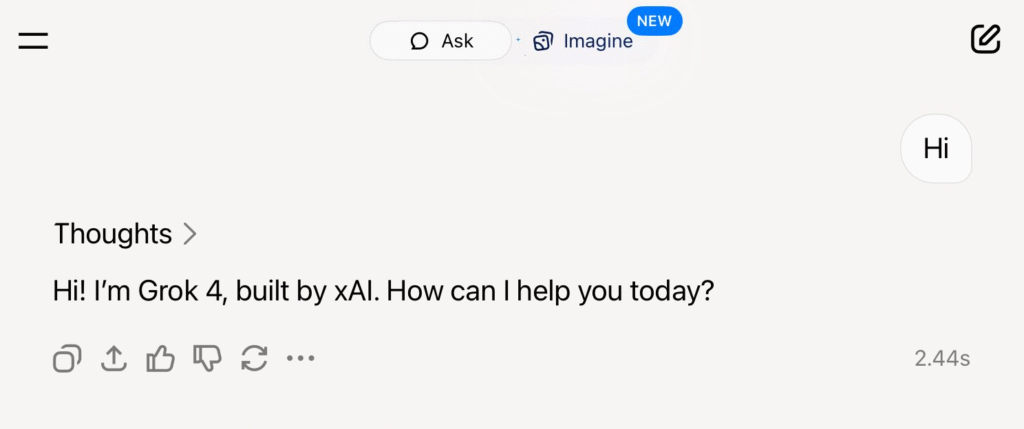
Imagine having a super-smart assistant who can answer your toughest questions, write creative stories, and even help you with your work for free. That’s essentially what just happened. Elon Musk’s artificial intelligence company, xAI, has announced that its most powerful AI model, Grok 4, is now free for all users worldwide on the X platform (what we used to call Twitter).
This is a huge deal for anyone curious about AI, even if you’re not a tech expert. Let’s break down what this means for you in simple terms.
First, What is Grok?
Think of Grok as X’s built-in version of ChatGPT or Google’s Gemini. It’s an AI “chatbot” you can talk to. You can ask it questions, have it summarize long articles, or even ask it to be funny. What makes Grok unique is its personality. It’s designed to have a bit of a rebellious streak and a sense of humor, often giving witty or sarcastic answers, inspired by “The Hitchhiker’s Guide to the Galaxy.”
Until now, the most powerful versions of Grok were reserved for paying subscribers. But that has just changed.
The Big Update: More Power and More Control
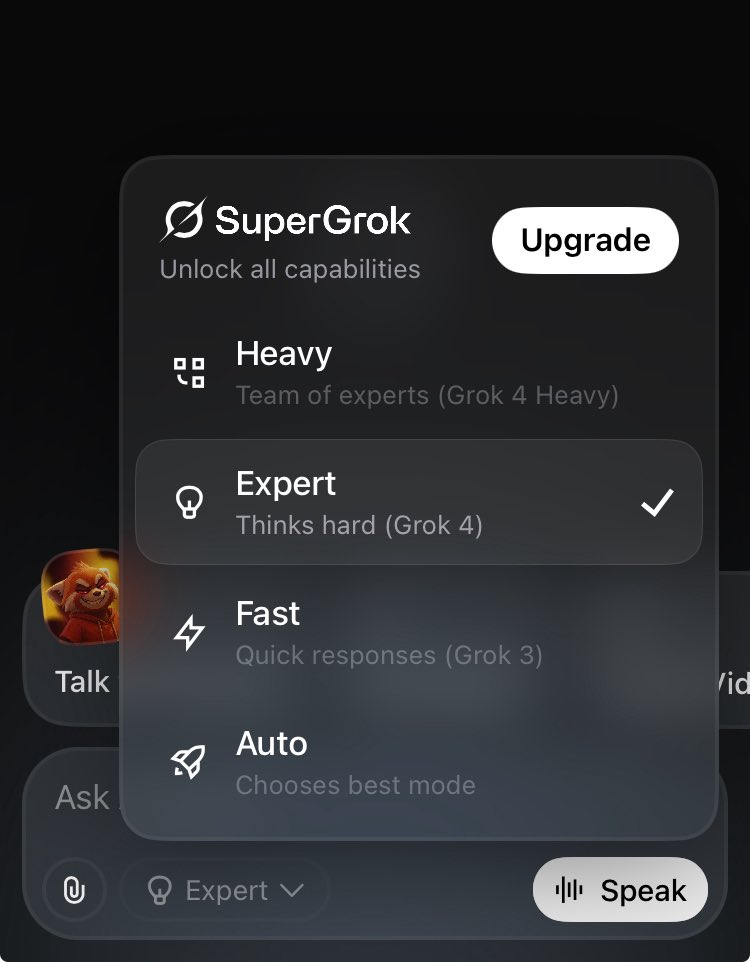
The latest update doesn’t just make the best version of Grok free; it also gives you more control over how it works. They’ve introduced a simple new menu with different “modes.” Think of it like choosing a gear in a car one for cruising, one for speed, and one for heavy-duty power.
Here are the new modes you can choose from:
1. Auto Mode: The Smart Default
This is the mode most people will use. In Auto mode, Grok is smart enough to figure out what you need.
- How it works: If you ask a simple question, like “What’s the weather today?”, Grok will use a faster, less powerful version to give you a quick answer. But if you ask a complex question, like “Explain the theory of relativity like I’m five,” Grok will automatically switch to the super-powerful Grok 4 to give you a detailed, well-thought-out response.
- Analogy: It’s like having a smart personal assistant. They handle simple tasks themselves but know exactly when to call in a top expert for the really hard stuff.
2. Expert Mode (Using Grok 4): Unleash the Beast
This is the exciting part of the announcement. “Expert Mode” lets you use the powerful Grok 4 for every single question you ask.
- How it works: By choosing this mode, you’re telling Grok, “I always want your best effort, no matter how simple my request.” This is perfect for when you’re doing serious research, brainstorming complex ideas, or want the most detailed and nuanced answers possible.
- Analogy: This is like having a Nobel Prize-winning scientist on speed dial for every question, from “What should I have for lunch?” to “What is the meaning of life?”
3. Fast Mode (Using Grok 3): Quick and Snappy
Sometimes you just need a fast answer, not a deep philosophical one. That’s what Fast Mode is for.
- How it works: This mode uses an older, less powerful version of Grok (Grok 3). It’s not as “smart” as Grok 4, but it’s incredibly quick. It’s great for simple facts, quick summaries, or when speed is more important than depth.
And for the Pros: SuperGrok
You might also see an option to “Upgrade” to SuperGrok, which includes a “Heavy” mode. This is a paid tier for users who need the absolute maximum power possible, likely for very demanding professional or academic work. For most of us, the newly free Grok 4 in Expert Mode will be more than powerful enough.
Why is This a Big Deal?
- AI for Everyone: Making a top-tier AI model like Grok 4 free democratizes access to powerful technology. Millions of people on X can now experiment with cutting-edge AI without paying a cent.
- Stiff Competition: This move puts major pressure on competitors like OpenAI (makers of ChatGPT) and Google (makers of Gemini). When one company makes its best tech free, others often have to follow suit, which is great news for consumers.
- A Note on “Limits”: The announcement mentions “generous usage limits.” This means that while it’s free, it’s probably not unlimited. Most users will likely have more than enough free credits to use Grok 4 extensively every day, but extremely heavy users might be prompted to upgrade later.
Your Takeaway
xAI just gave everyone with an X account a very powerful new tool. You can now choose between lightning-fast answers or deep, expert-level insights from one of the world’s most advanced AIs. Whether you’re a student, a professional, or just someone curious about the future, this is your chance to explore the amazing potential of artificial intelligence.
So next time you’re on X, give it a try. Switch to Expert Mode and ask it something challenging you might be surprised by what you discover.